
In-store communication for teams that aren't sitting at a desk
QMessage connects your staff on the shop floor — with an announcement to everyone, a call into a department, or directly person to person. Hands-free via headset, on the company phone, without private messengers.
For Android devices from version 8.0 · Developed and operated in Germany
The situation
Your team is on the move all day. Your communication should keep up.
In retail, hardly anyone sits at a desk. One colleague is in the warehouse, another at the checkout, someone is advising a customer in the garden centre. Anyone with a question walks — or uses a private chat group that nobody manages and nobody closes when staff change.
Long distances
A single question costs a walk across the whole store — while the customer waits.
Nobody reachable
Where someone is, and whether they can answer, you only find out once you've found them.
Communication without oversight
Private messengers on private phones: no overview, no accountability, no clean handover.
Features
Three ways to speak — depending on who it concerns
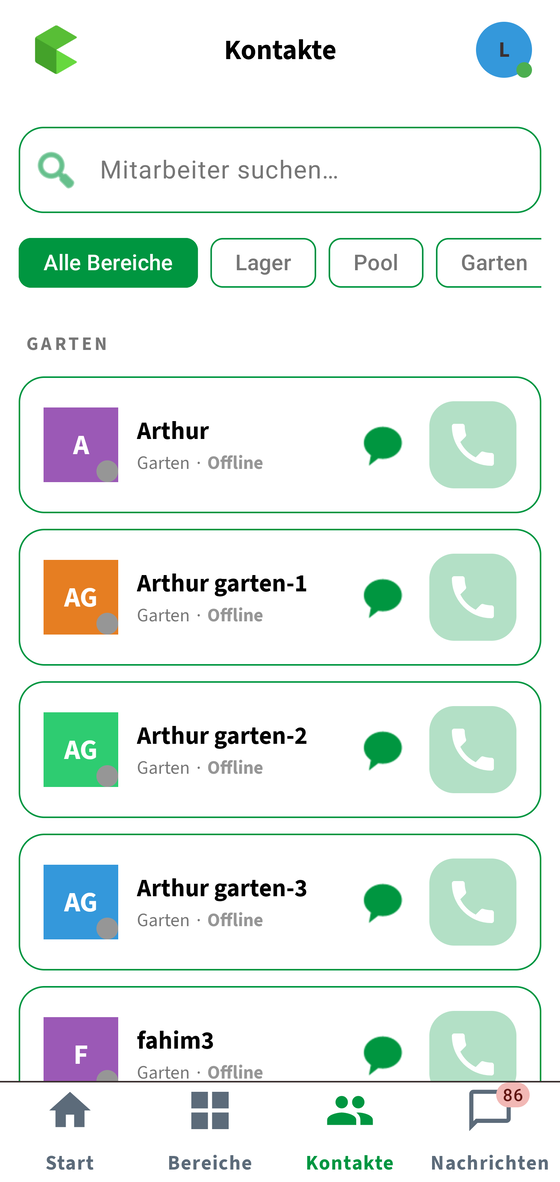
Not every piece of information concerns everyone. QMessage distinguishes whether you want to reach the whole store, one department, or a single person.
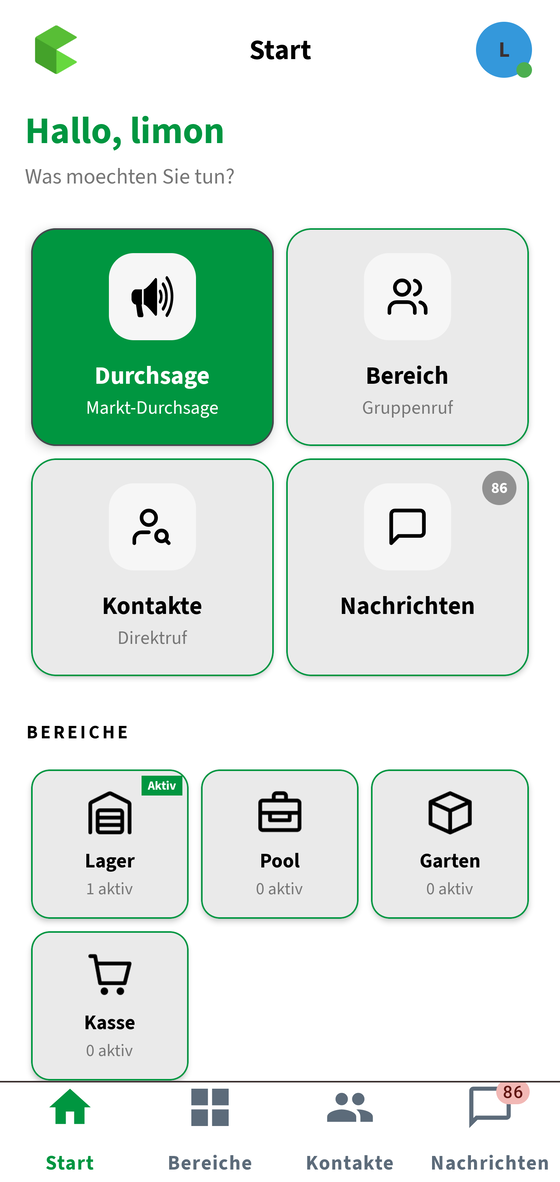
Announcement
You speak once — everyone in the store hears it. For messages that concern all.
Department call
One call into a department — warehouse, checkout or garden centre — and everyone there is connected in a single talk group.
Direct call
One person, one call. No detour via the office, no phone number needed.
Departments that match your store
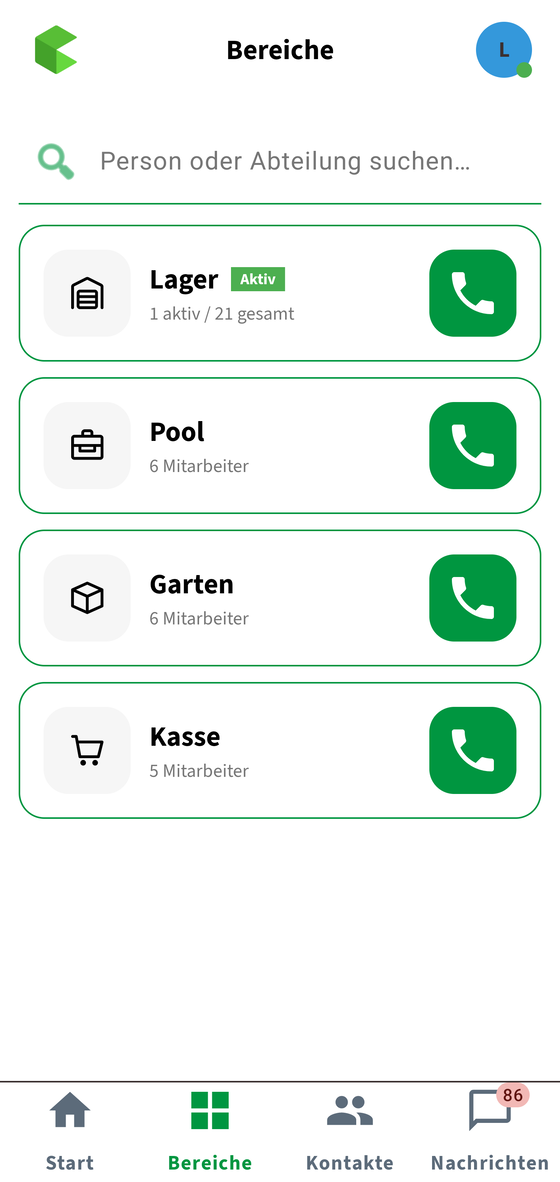
You create the departments yourself — exactly as your store is organised. Every employee belongs to a department and is reachable through it.
- Departments freely named, e.g. warehouse, checkout, garden centre
- Presence status: available, on break or away
- See who is in a call in the participant list
- An incoming phone call automatically takes priority
Working hands-free
Talk button on the headset — your hands stay free
Anyone pushing a pallet or advising a customer has no hand free for a phone. With a supported PTT headset you press the button at your ear: microphone on, speak, release. The phone stays in your pocket.
- Tested and approved: Shokz OpenComm 2 PTT (Zello Edition)
- Tested and approved: Hytera EHW07 and EHW08
- Common Bluetooth and wired headsets via the media button
- Without a headset: “press & talk” directly on screen
- Switch between headset, speaker and earpiece
We approve headsets model by model, after we have tested them — a blanket promise for any Bluetooth device would not be honest. Which model suits your setup is something we clarify together.
When it doesn't have to be immediate
Messages that still reach the next shift
Not everything is a call. Some things should arrive when a colleague has time — and remain readable later.
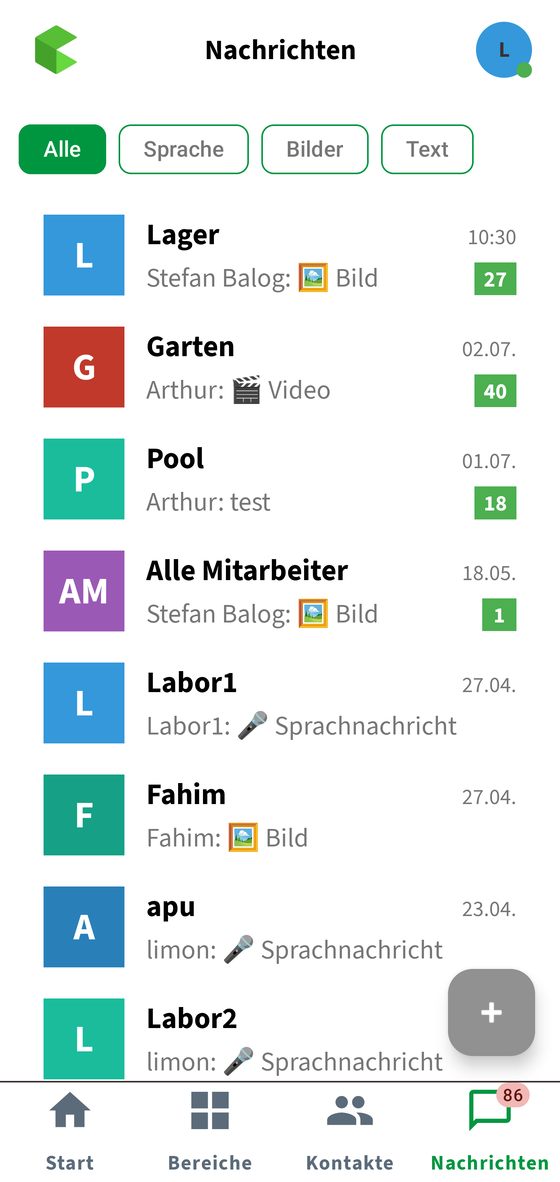
- Voice messages up to three minutes
- Text, image and video messages
- To one person, to a department, or to everyone
- Read receipts — you see who has read it
- Reply, forward, copy, delete your own messages
- Filter by voice, images or text
Devices
Runs on the devices you already have in the store
QMessage is an Android app. It runs on rugged handhelds just as well as on ordinary company phones — you don't need to buy new hardware.
Zebra handhelds
In daily use at our customers — among others on the Zebra TC27. Exactly the devices already used for picking and scanning in the store.
Company phones
Any Android smartphone from version 8.0 — from entry-level to current models. Also as a second device alongside the handheld.
No Play Store needed
We deliver the app directly; it reports updates itself. No Google account required on the company device — important for managed handhelds.
Android 8.0 or newer is required. There is currently no version for iPhones. Whether your existing devices are suitable is something we check together beforehand.
Operations and data protection
Your communication runs on our servers — not in someone else's cloud
QMessage is a tool for your operation, not a by-product of an advertising platform. We develop the software in Germany and operate it here on our own servers — and we tell you exactly what it does.
- Developed and operated in Germany
- Messages and calls are transmitted encrypted
- Voice, image and video messages are stored encrypted
- Access PINs are stored only as a hash, never in plain text
- Data of different customers is strictly separated
- Access only according to role and permission
- Protection against automated guessing of credentials
- You set the retention periods for media files yourself
- Export and deletion of individual employee data at the push of a button
Your data sits on servers we operate ourselves — not with a cloud provider whose business model is the analysis of data.
Administration
You stay in control — in the browser, without an IT department
Staff come and go, devices get replaced, departments change. You handle all of that yourself in the administration portal.
Employees & departments
Create people, assign them to departments, grant and revoke access.
Devices
All registered devices at a glance. Lost devices you block immediately.
Enable features
You decide which features your store uses — right down to the department.
Multiple locations
Manage branches separately, each with its own departments and staff.
Your look
Logo and colours can be adapted to your company.
Updates
We distribute new app versions through the portal — without the app store detour.
On request
Features we enable specifically for you
Not every store needs everything. These features are disabled by default and are only switched on if you want them.
Video during a call
Add the camera to a running call — for instance to show a defect instead of describing it. Off by default; enabled per company, department or role.
Sign-in with an NFC chip
Sign in with a chip and PIN instead of typing on the device. Practical for devices shared by several people.
Connecting your in-store technology
Events from Cucos devices in the store arrive directly as a notification with a response button on the phone of the responsible employee.
Frequently asked questions
Which devices does QMessage run on?
On Android devices from version 8.0. In practice, QMessage runs at our customers on rugged Zebra handhelds — such as the Zebra TC27 — as well as on ordinary company phones. So as a rule you don't need new hardware. There is currently no version for iPhones. The administration portal opens in the browser on any computer.
Do we need our own equipment in the store?
No. QMessage runs over the internet connection of your devices. If you already use Cucos technology, it can be connected — but it isn't required.
What happens if a device is lost?
You block it in the administration portal. Access is revoked immediately, without you having to hold the device.
How long are messages kept?
You set the retention period for voice, image and video messages yourself; the default is 30 days. Individual employee data can be exported or deleted on request.
Which headsets are supported?
Currently tested and approved are the Shokz OpenComm 2 PTT (Zello Edition) as well as the Hytera EHW07 and EHW08. Common Bluetooth and wired headsets work via the media button. We approve further models after testing them — which one suits your setup is something we clarify beforehand.
What does QMessage cost?
That depends on the number of devices and locations. Give us a call — we'll work it out for your business.
Would you like personal advice?
Tell us how your store works — we'll tell you honestly whether QMessage fits.
+49 2921 66052-70